Press & Brand
Logo files, the rules that come with them, and the assets people actually ask us for: stream banners and print-ready vectors. Everything here is cleared for external use.
Kit v1.3 · last updated 11 September 2026
The marks
Six assets, not interchangeable. Each tile shows the real file on both grounds. Full colour ships as PNG; vector ships one-colour. The shaded U in the full-colour artwork has no vector master, and a flattened trace would be an approximation of the mark rather than the mark itself, so we don't publish one.










Ready-made banners, and files for a factory
Two things people ask for that a logo file alone does not cover: a banner sized for a live stream, and a vector file a manufacturer will accept.
Stream banners
PNG at native resolution. Drop each one in as an Image source in OBS, Streamlabs or vMix, and don't scale it up. Every layout comes in English and Korean, and the sponsor strips also come transparent and in a 1280 x 120 size; all variants are in the media kit. The Korean is our own published wording, not a translation made for this kit.


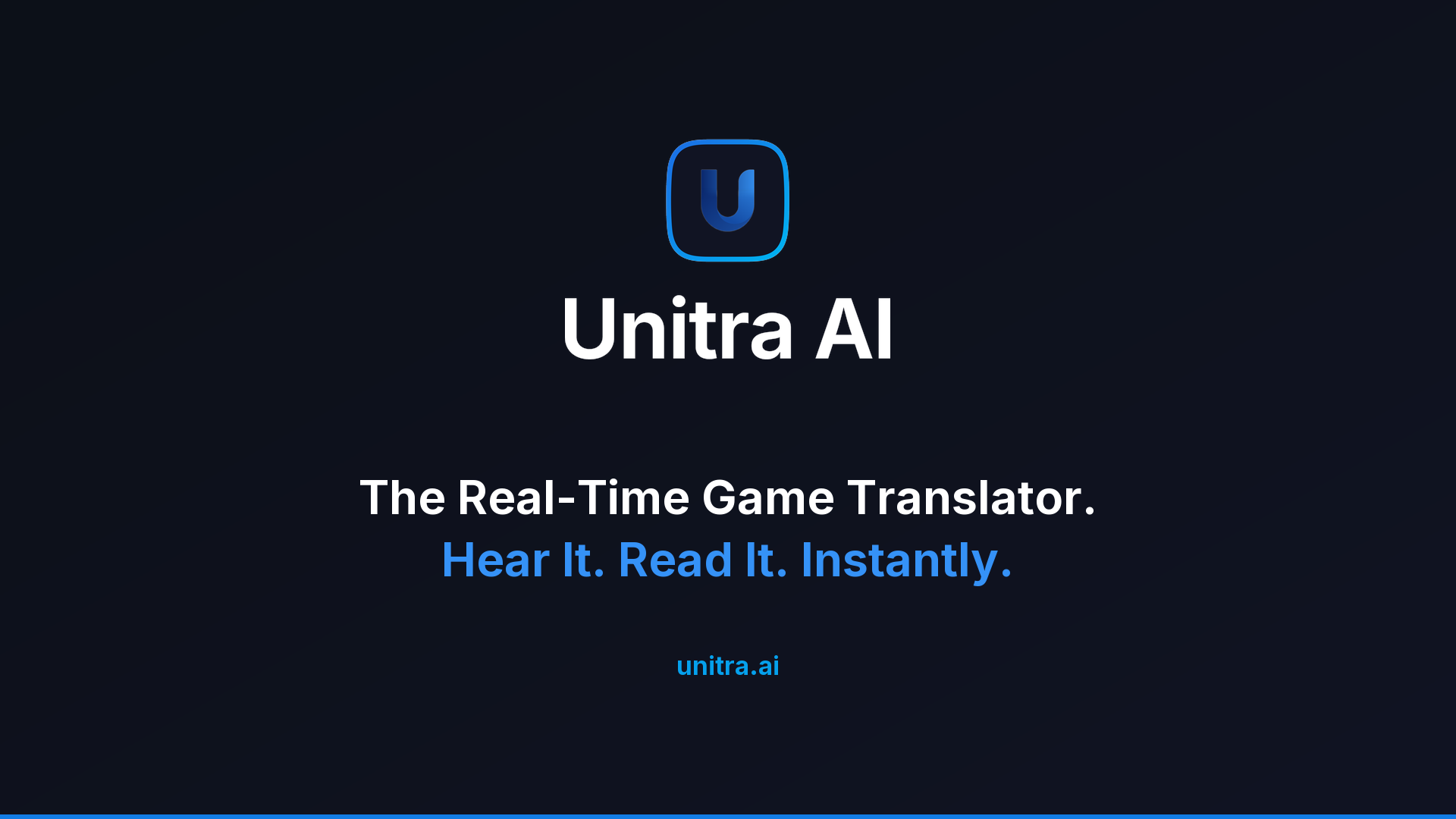
Need a size, a language or a layout that isn't here, such as a vertical rail, a different aspect ratio, or a co-branded strip with your logo alongside ours? Ask, and we'll make it. Please don't composite two sponsors into one image yourself: place each as its own source, so the clear space around each mark survives.
Uniforms, banners, signage
PDF and EPS with every path outlined, so no font has to be installed or licensed at the factory. If your supplier asks for .ai, send the PDF: Illustrator opens it natively and every modern RIP accepts it.
Full colour is raster, topping out at 4000 px. Above roughly a 1 m banner, use the one-colour vector, which scales without limit.
| Job | File |
|---|---|
| Embroidery on a dark garment | PDF3 KB EPS9 KB |
| Embroidery on a light garment | PDF3 KB EPS9 KB |
| Any embroidery, down to 20 mm | the same one-colour files, at any size |
| Sponsor wall or large banner, one ink | PDF black5 KB PDF white5 KB |
| Full colour, dark garment or banner | PNG 4000px209 KB |
| Full colour, light garment or banner | PNG 4000px195 KB |
| Wordmark only, one ink | PDF black3 KB PDF white3 KB |
| Vinyl cut, laser, engraving, foil | PDF3 KB |

EPS versions of all of these, and the full spec (embroidery rules, minimum stitched sizes, CMYK values), are in PRINT-SPEC.md and the media kit. There is no official Pantone match: match to the hex or CMYK and ask your printer for a physical proof before the run, rather than working from a number we guessed at.
Clear space, minimum size, and how to place the marks
Clear space is half the height of the icon, on all four sides of the logo's bounding box. Nothing enters it: no type, no rule, no image edge, no other sponsor's logo.
| The name | |
|---|---|
| In writing | Unitra AI in copy, headlines, materials, captions and every logo file. Never UNITRA, UniTra or Unitra.AI, and never in all caps even where the surrounding type is. |
| Spoken | “Unitra” on its own is fine in conversation. In writing, keep the AI. |
| The company | Unitra, Inc. |
| The application | Unitra AI Desktop |
The dashed line is the outer limit of the clear space, and each blue square is one unit of it.
| Asset | Minimum on screen | Minimum in print |
|---|---|---|
| Horizontal lockup | 120 px wide | 30 mm wide |
| Stacked lockup | 80 px wide | 20 mm wide |
| Icon | 24 px | 8 mm |
| One-colour icon, embroidered | n/a | 20 mm |
The frame and the U always stay together. There is no U-only asset, and the U is never used outside its frame. If a space is too small for the icon, use the wordmark or leave the mark out, but don't strip the frame. For embroidery, use the one-colour icon, no smaller than 20 mm: the knocked-out U stroke is about 10% of the icon's width, so 20 mm gives roughly a 2 mm stroke, which is the practical floor for negative detail. Never embroider the full-colour icon, whose ring is only about 4% of the icon's width and closes up below roughly 45 mm.
Placing the marks
Use the files as supplied, unchanged. Pick the variant for your background: -on-dark below roughly 30% background luminance, -on-light above it, and the one-colour version for a single ink or over a scrim on a photograph. Please don't recolour, stretch, rotate, add effects to, or rebuild the marks, and don't place them in a container of your own. If your layout needs something these files don't cover, ask and we'll supply it.
| Typography | Weight | Tracking |
|---|---|---|
| Wordmark and display headlines | Inter 600 (SemiBold) | -1.8% |
| Body | Inter 400 | 0 |
| UI labels and captions | Inter 500 | 0 |
Inter is licensed under the SIL Open Font License 1.1, so it is free to use, embed and redistribute. Where it cannot be loaded, fall back to the system UI stack.
Palette
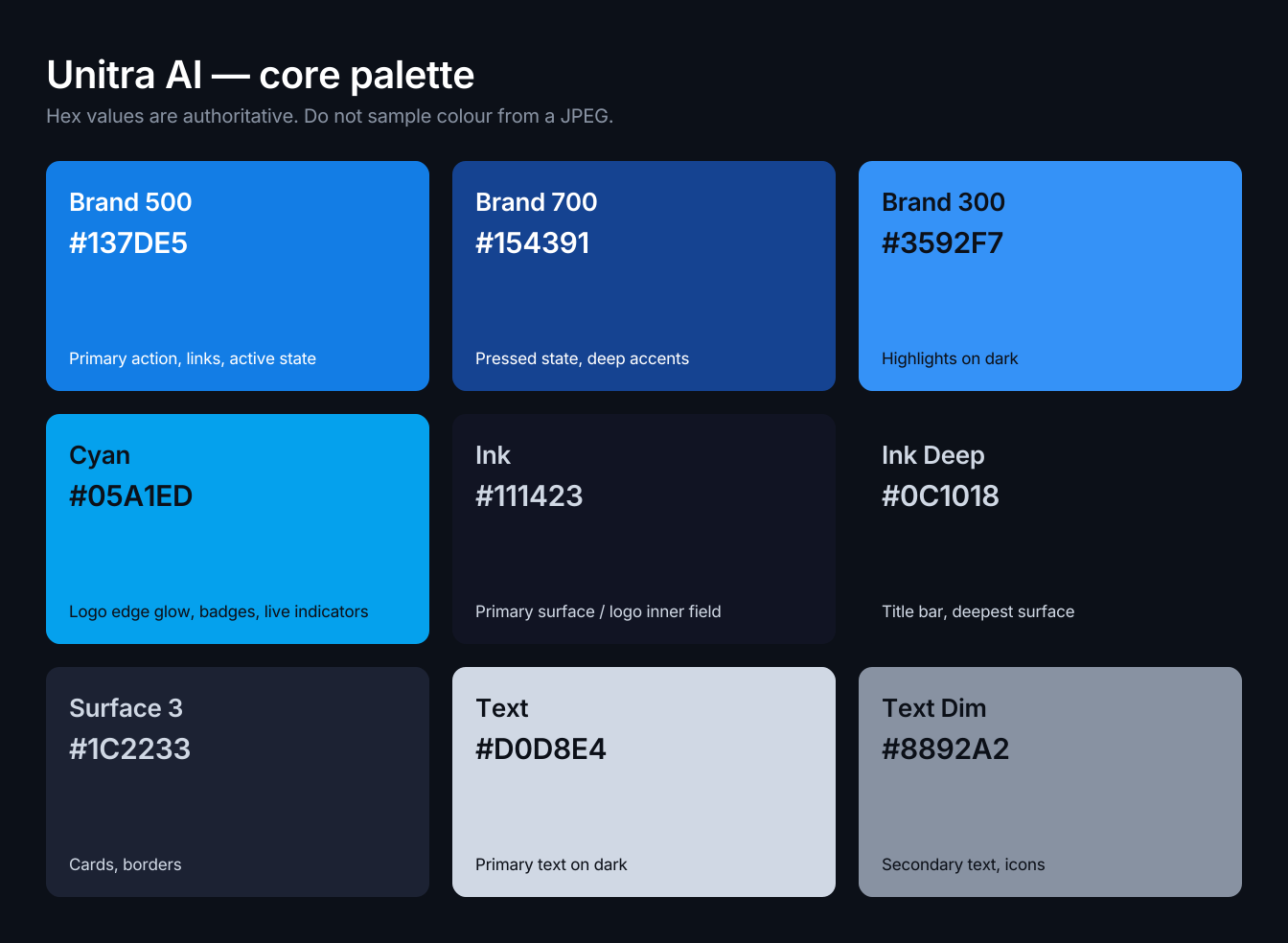
These hex values are authoritative. Never sample a colour out of a JPEG or a screenshot. Click a swatch to copy it.
The icon's outer ring is a gradient from #1971E3 at the top-left to #01ADEE at the bottom-right. It is part of the artwork, so don't rebuild it with different stops. A printable swatch sheet is in the kit: unitra-palette.png119 KB
What you may and may not do
Permitted
- Editorial coverage of Unitra AI.
- Materials produced under a signed partnership or sponsorship agreement with Unitra, Inc.
- App-store and marketplace listings of the product itself.
Not permitted
- Anything implying endorsement, or a partnership that does not exist.
- Merchandise for sale.
- Any use that could read as Unitra AI having produced or approved a third-party product.
Unitra, Inc. retains all rights in the marks and may ask for a use to be corrected or withdrawn. For anything this page does not cover, ask first.